Key Takeaways:
- Why Claude Sonnet 4.6 is my daily driver (and when I switch to something else)
- The $25 vs $0.42 question: when premium models are worth it
- How I cut my API bill by 70% without sacrificing quality
- Which model actually follows tool-calling instructions reliably
Pricing disclaimer: All prices, benchmarks, and context window sizes are based on official data as of late March 2026. Model providers change pricing frequently — always verify current rates in your provider’s dashboard before committing to a budget. Prices listed are for direct API access; third-party providers (OpenRouter, Together AI, etc.) may differ.
I’ve been running OpenClaw agents since January 2026, back when it was still called Clawdbot. Three name changes, two security patches, and about $400 in API costs later, I’ve tested pretty much every major model that works with the platform.
This isn’t a benchmarks-only comparison. I’ll share what actually happens when you ask these models to manage your email, write code, or automate workflows in production — not in a controlled test environment.
- The Short Version
- How I Tested
- 1. Claude Sonnet 4.6 — My Daily Driver
- 2. Claude Opus 4.6 — When You Need the Best
- 3. DeepSeek V3.2 — Best Budget Option
- 4. GPT-5.4 — The Desktop Automation King
- 5. Gemini 3.1 Pro — The Long-Context Specialist
- 6. Gemini 3 Flash — Speed Over Everything
- 7. Kimi K2.5 — The Open-Weight Contender
- 8. Ollama + Local Models — Maximum Privacy
- A Note on Tool Compatibility
- My Actual Setup (March 2026)
- How to Choose Your Model
- Need Help Setting This Up?
The Short Version
If you want my recommendation without reading 2,000 words:
| Your Situation | Use This | Monthly Cost (est.) |
|---|---|---|
| Just starting out | Claude Sonnet 4.6 | $30–60 |
| Tight budget | DeepSeek V3.2 | $6–15 |
| Maximum privacy | Ollama + Qwen3 | $0 (hardware only) |
| Complex coding tasks | Claude Opus 4.6 | $80–200 |
| Long documents (100K+ tokens) | Gemini 3.1 Pro | $40–80 |
Now let me explain why.
How I Tested
I ran each model through my actual OpenClaw workflows for at least two weeks:
- Morning briefing — weather, calendar, email summary, news headlines
- Email triage — categorize 50+ daily emails, draft responses
- Code assistance — debug Python scripts, write documentation
- Research tasks — gather information, summarize articles
- Multi-step automation — client onboarding sequence with 7 steps
I tracked three things: task completion rate, cost per task, and how often I had to intervene manually.
1. Claude Sonnet 4.6 — My Daily Driver
Provider: Anthropic Pricing: $3 input / $15 output per 1M tokens Context window: 1M tokens
This is what I use for 80% of my OpenClaw tasks. Not because it’s the cheapest or the smartest, but because it’s the most reliable.
What I love:
Claude Sonnet follows instructions precisely. When I tell my agent «summarize this email in 2 sentences, then draft a polite decline,» it does exactly that. GPT models sometimes get creative and add a third sentence or suggest alternatives I didn’t ask for. Claude stays on task.
Tool calling is where Sonnet really shines. OpenClaw lives and dies by tool use — shell commands, API calls, file operations. In my testing, Claude Sonnet had roughly a 90% first-try success rate on tool calls. GPT-5.4 was around 85%. Gemini was closer to 78%. These are my numbers from real workflows, not official benchmarks — your results will vary depending on your setup.
The 1M context window is more than enough for most workflows. I can load my entire codebase, conversation history, and instructions without hitting limits. (Note: standard pricing applies to the full 1M window — Anthropic removed long-context surcharges in March 2026.)
What I don’t love:
The output pricing ($15/M tokens) adds up. A chatty agent that writes long responses can run $50–80/month easily. I’ve learned to add «be concise» to my system prompts.
Sometimes Claude is too careful. It’ll ask for confirmation on tasks where I want it to just execute. You can tune this with prompting, but it takes experimentation.
Monthly cost: $40–80 for moderate daily use.
Verdict: Start here. Switch to something else only if you have a specific reason.
2. Claude Opus 4.6 — When You Need the Best
Provider: Anthropic Pricing: $5 input / $25 output per 1M tokens Context window: 1M tokens
Opus is Claude’s flagship model. I only use it for tasks where Sonnet fails or where accuracy is critical.
When I switch to Opus:
- Multi-file code refactoring (it holds the entire architecture in context better)
- Debugging weird edge cases that Sonnet can’t figure out
- Writing content that needs to be publication-ready on first draft
- Anything involving complex reasoning across multiple domains
Opus scores around 80.8% on SWE-bench Verified (source: Anthropic model card), while Sonnet is at 79.6%. That ~1% gap sounds tiny, but it’s noticeable on hard problems where Sonnet hits a wall.
The cost reality:
Running Opus as your default model can get expensive — but it’s significantly cheaper than people expect if you’re coming from the old Opus 4.0/4.1 era ($15/$75). At $5/$25, Opus 4.6 is 3x cheaper than its predecessor with better performance. Still, I use model routing — Sonnet for 90% of tasks, Opus only when triggered by specific keywords or task types.
A note on model routing:
OpenClaw’s configuration format evolves between versions. The general idea is to set a default model and override it for specific task types. Check the current openclaw.json schema documentation before copying config examples — the exact syntax may differ from what’s shown in older tutorials or articles like this one.
Monthly cost: $80–200 if used heavily. I spend about $20–40/month by using it selectively.
Verdict: Keep it in your back pocket. Don’t make it your default unless money isn’t a concern.
3. DeepSeek V3.2 — Best Budget Option
Provider: DeepSeek Pricing: $0.28 input / $0.42 output per 1M tokens Context window: 128K tokens
DeepSeek is where I send all my «bulk» tasks. Summarizing 50 articles? DeepSeek. Processing a log file? DeepSeek. Anything that’s straightforward but high-volume.
The math is ridiculous:
Claude Opus output: $25/M tokens DeepSeek V3.2 output: $0.42/M tokens
That’s roughly a 60x price difference.
For simple tasks — and a surprising number of tasks are simple — DeepSeek performs almost identically to premium models. Email categorization, data extraction, format conversion… these don’t need a $25/M model.
Where DeepSeek struggles:
Complex multi-step reasoning. If the task requires holding 5+ constraints in context while making nuanced decisions, DeepSeek starts dropping balls. Tool calling accuracy is noticeably lower than Claude’s in my experience — I’d estimate around 78% vs Claude’s ~90%, though your mileage will vary.
The 128K context window is workable but limiting if you need to process large codebases or long documents in a single pass.
My actual usage:
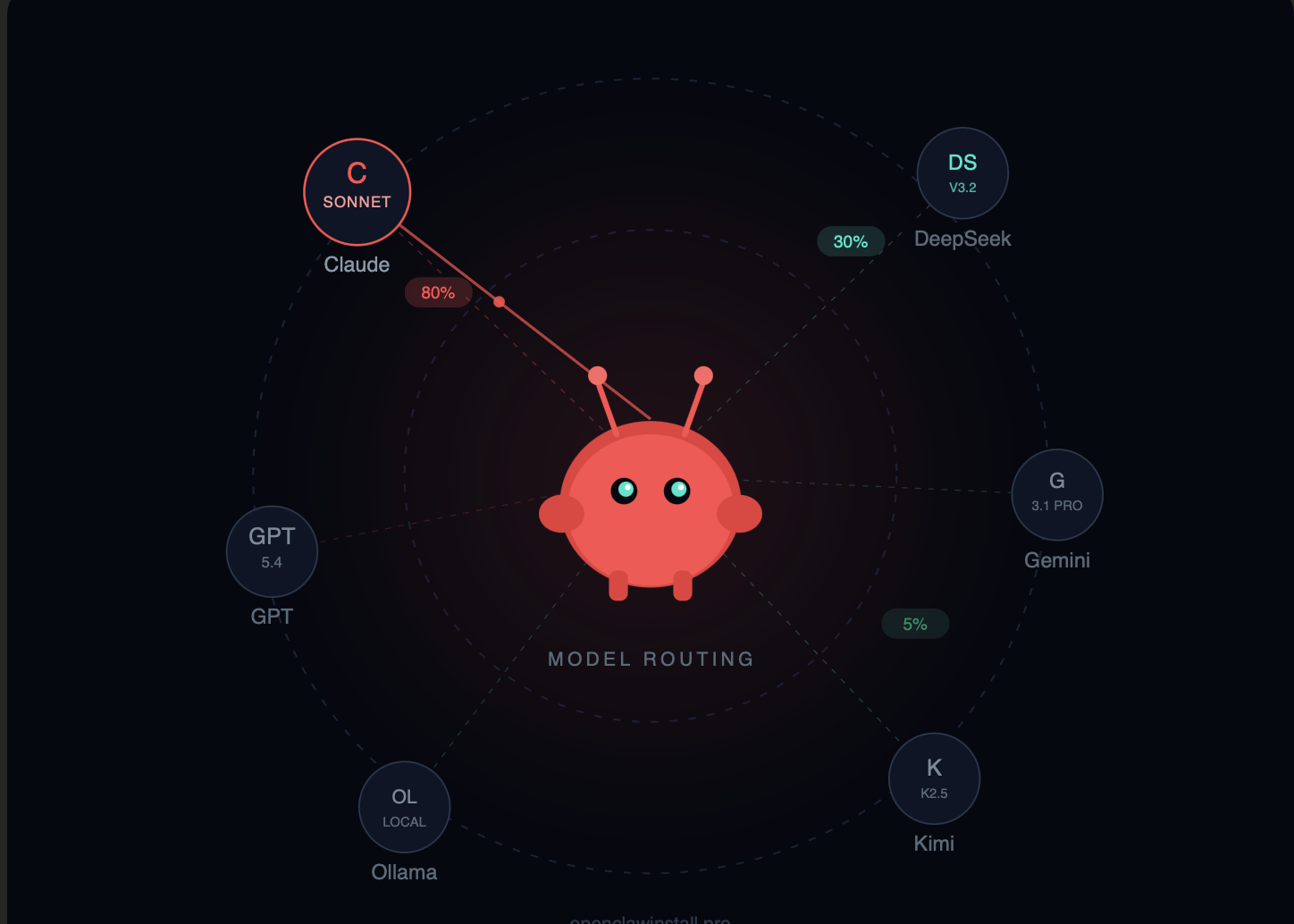
I route about 30% of my OpenClaw tasks to DeepSeek. This alone cut my monthly bill from ~$100 to ~$35.
Monthly cost: $6–20 depending on volume.
Verdict: Essential for cost optimization. Use for simple tasks, switch to Claude for complex ones.
4. GPT-5.4 — The Desktop Automation King
Provider: OpenAI Pricing: $2.50 input / $15 output per 1M tokens Context window: ~1.05M tokens
I was surprised by this one. GPT-5.4 isn’t my go-to for most tasks, but for anything involving visual interaction or desktop automation, it beats Claude.
Desktop automation benchmarks:
According to published OSWorld results, GPT-5.4 scores around 75% on desktop interaction tasks. Claude models are competitive — Opus 4.6 and Sonnet 4.6 both land around 72–73% (source: Anthropic model card, benchmark results published February 2026). The gap is smaller than I expected, but GPT-5.4 still has an edge for visual workflows.
OSWorld tests agents on desktop tasks — clicking buttons, navigating UIs, filling forms. If you’re using OpenClaw to automate browser workflows or desktop applications, GPT-5.4 is worth testing.
Where GPT falls behind:
Tool calling consistency. In my testing, GPT occasionally formats API parameters incorrectly or adds unexpected fields. Not a dealbreaker, but it requires more error handling.
My usage:
I have a dedicated «browser agent» running GPT-5.4 for web scraping and form filling. Everything else runs on Claude.
Monthly cost: $30–60 for moderate use.
Verdict: Best for visual/desktop automation. Claude is better for text-based workflows.
5. Gemini 3.1 Pro — The Long-Context Specialist
Provider: Google Pricing: $2 input / $12 output per 1M tokens (under 200K tokens; above 200K: $4/$18) Context window: ~1M tokens
One million tokens. That’s on par with Claude’s 1M and GPT-5.4’s 1.05M — but Gemini was the first to ship this at production scale, and the pricing is competitive.
When this matters:
- Analyzing entire codebases without chunking
- Processing multi-hour meeting transcripts
- Working with large document collections
- Any task where «I need to see everything at once» is critical
I used Gemini 3.1 Pro to analyze a 400-page technical specification. Loaded the whole thing, asked questions, got accurate answers that referenced specific sections. The experience was smooth.
The catch:
Instruction-following degrades at the edges of that context window. Past 500K tokens, I noticed Gemini occasionally dropping constraints from my system prompt. It’s not broken, but it’s less reliable than Claude at smaller context sizes.
Watch the long-context pricing: once you exceed 200K tokens, input pricing doubles to $4/M and output jumps to $18/M. For consistently large prompts, factor this into your budget.
Gemini free tier:
Google offers free access to select Gemini models (including some Flash variants) in AI Studio, with rate limits. Exact limits depend on your account type, region, and which model you select — they change frequently. It’s worth checking for hobbyist or testing use, but don’t count on specific quotas.
Monthly cost: $40–80 for heavy use, potentially much less if you stay within free tiers.
Verdict: Use for long-context tasks. Claude is more reliable for everyday workflows.
6. Gemini 3 Flash — Speed Over Everything
Provider: Google Pricing: $0.50 input / $3 output per 1M tokens Context window: 1M tokens
Flash is Gemini’s speed-optimized model. Same massive context window, lower price, faster responses.
When I use Flash:
Quick lookups, simple summaries, anything where I need an answer in under 2 seconds. The latency difference is noticeable — Flash responds almost immediately, while Opus can take 5–10 seconds on complex tasks.
Surprisingly good performance:
Flash scored 78% on SWE-bench Verified (source: Google AI Blog, December 2026), actually beating the more expensive Gemini 3 Pro (~76.2%) at the time. For a «speed» model, that’s impressive.
Monthly cost: $15–40.
Verdict: Great default for speed-sensitive tasks. Combine with Opus for complex work.
7. Kimi K2.5 — The Open-Weight Contender
Provider: Moonshot AI Pricing: ~$0.60 input / $2.50 output per 1M tokens (official); varies on third-party providersContext window: 256K tokens
Kimi K2.5 has been gaining traction in the developer community since its January 2026 launch. It’s a 1T-parameter MoE model that activates only 32B parameters per request — which is how it keeps costs low.
The appeal:
Chinese models like Kimi have improved dramatically. K2.5 handles English tasks competently, costs a fraction of Western models, and — notably — it’s open-weight under a Modified MIT license. You can self-host it if you have the hardware.
In practice:
I ran Kimi for two weeks on my morning briefing and email workflows. It worked. Not noticeably better or worse than Claude Sonnet for these tasks. The cost savings were real — roughly 5–6x cheaper than Claude Sonnet.
Where it struggled:
Nuanced English writing. The outputs were correct but occasionally awkward. For customer-facing content, I’d still use Claude. For internal automation, Kimi is fine.
Monthly cost: $10–25.
Verdict: Legitimate alternative for budget-conscious users, especially if you value open weights. Test it on your workflows.
8. Ollama + Local Models — Maximum Privacy
Provider: Self-hosted Pricing: $0 (hardware costs only) Context window: Varies (32K–128K typical)
If your data absolutely cannot leave your machine, local models via Ollama are the only option.
My local setup:
- Qwen3 Coder (32B parameters) on an RTX 4090
- Used for sensitive client work
- Completely offline, zero API costs
The reality check:
Local models in the 7B–70B range cannot match Claude Opus or even Sonnet on complex agent tasks. Expect more errors, more manual intervention, and slower responses.
But for some use cases — GDPR-sensitive European clients, government contractors, paranoid founders — cloud APIs aren’t an option. Local models are your only choice.
Hardware requirements:
- 7B model: 8GB VRAM (RTX 3070+)
- 32B model: 24GB VRAM (RTX 4090)
- 70B model: 48GB+ VRAM (dual GPU or A100)
Monthly cost: $0 for API, but factor in electricity and hardware depreciation.
Verdict: Use only when privacy requirements mandate it. Cloud models are better for everything else.
A Note on Tool Compatibility
Not all models work equally well with OpenClaw’s tool-calling system. OpenClaw relies heavily on structured tool use — shell commands, API calls, file operations — and models differ in how reliably they follow tool-call schemas.
In my experience: Claude (both Sonnet and Opus) is the most consistent. GPT-5.4 is close but occasionally adds unexpected fields. DeepSeek and Kimi work for simple tool calls but get flaky on multi-step chains.
Before committing to a model, test it with your specific tools and provider. OpenRouter, for instance, normalizes tool-calling across providers, but edge cases still show up. Check your provider’s documentation for supported tool-calling formats.
My Actual Setup (March 2026)
Here’s what I’m running right now:
| Agent | Model | Tasks |
|---|---|---|
| Primary | Claude Sonnet 4.6 | Email, calendar, general automation |
| Coding | Claude Opus 4.6 | Debugging, refactoring, complex code |
| Browser | GPT-5.4 | Web scraping, form filling |
| Bulk | DeepSeek V3.2 | Summaries, data processing |
| Long docs | Gemini 3.1 Pro | Large document analysis |
Monthly API spend: ~$65
Time saved: ~12 hours/week
That’s roughly $5.40 per hour saved. Worth it for me.
How to Choose Your Model
Start with Claude Sonnet 4.6. Seriously. It’s the best balance of capability, reliability, and cost. Run it for a month, track your usage, then optimize.
Add DeepSeek for bulk tasks. Once you know which tasks are simple and repetitive, route them to DeepSeek. Instant 60%+ cost reduction on those tasks.
Use Opus sparingly. Only for tasks where Sonnet fails or where you need maximum accuracy. Don’t make it your default.
Consider Gemini for long context. If you regularly work with documents over 200K tokens and want to avoid Claude’s higher per-token rates, Gemini’s pricing is attractive.
Local models only if required. Privacy-first, performance-second. Don’t go local unless you have a specific compliance reason.
Need Help Setting This Up?
If you want a working OpenClaw setup without the trial-and-error, I offer installation and configuration help:
| Service | What’s Included | Price |
|---|---|---|
| Installation | OpenClaw setup, Telegram bot, model configuration | $45 |
| Full Package | Installation + VPS + API subscription + support | $40/month |
| Test Drive | 1-week access to configured agent | $12 |
