Google Search Console Access: Safe User Setup
Open Settings -> Users and permissions, select Add user, and grant the lowest permission level that can do the work. Restricted users can view most reports, Full users can see all data and perform most operational actions, and Owners have full control, including user management. The Owner option in the Add user menu creates a delegated owner; it does not create a new verification token. For most SEO work, Full access is enough.
- Search Console has Owner, Full and Restricted permission levels.
- An owner can be verified with a verification token or delegated by another owner; both owner types have the same Search Console permissions.
- Verified and delegated owners can add or remove users. Full and Restricted users cannot manage access.
- A Domain property covers all protocols and subdomains, but contractor independence also requires business control of the domain, DNS and at least one verified-owner account.
- An SEO usually needs Full access. Grant Owner only when the person must administer access.
An SEO specialist may need Google Search Console access to review indexing, search performance, sitemaps and URL inspection data. Access should be granted through Search Console rather than by sharing the business owner’s Google Account password.
The safest setup keeps permanent ownership with an account controlled by the business and gives each contractor a separate role that can be removed later. This guide shows the current workflow and explains what must be checked when the engagement ends.
How to Grant Access to Google Search Console
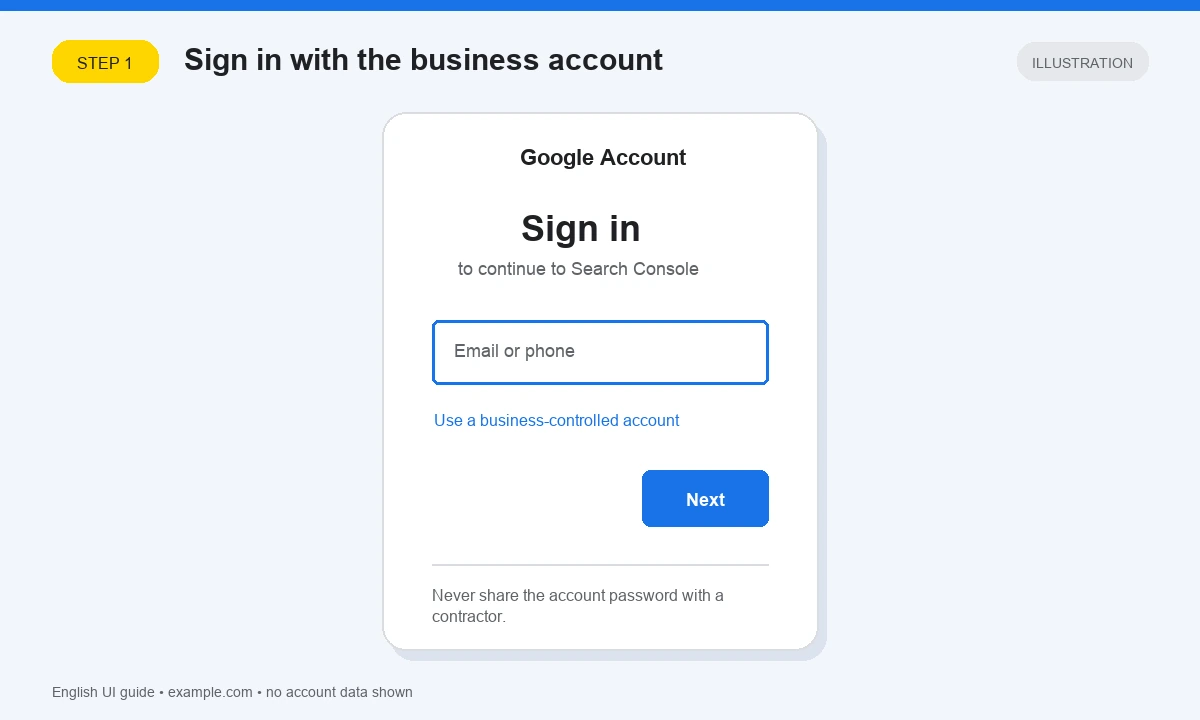
1. Sign in with a business-controlled Google Account
Go to Google Search Console and sign in with a Google Account that already owns the property. Only an Owner can open the access-management controls and grant permissions.
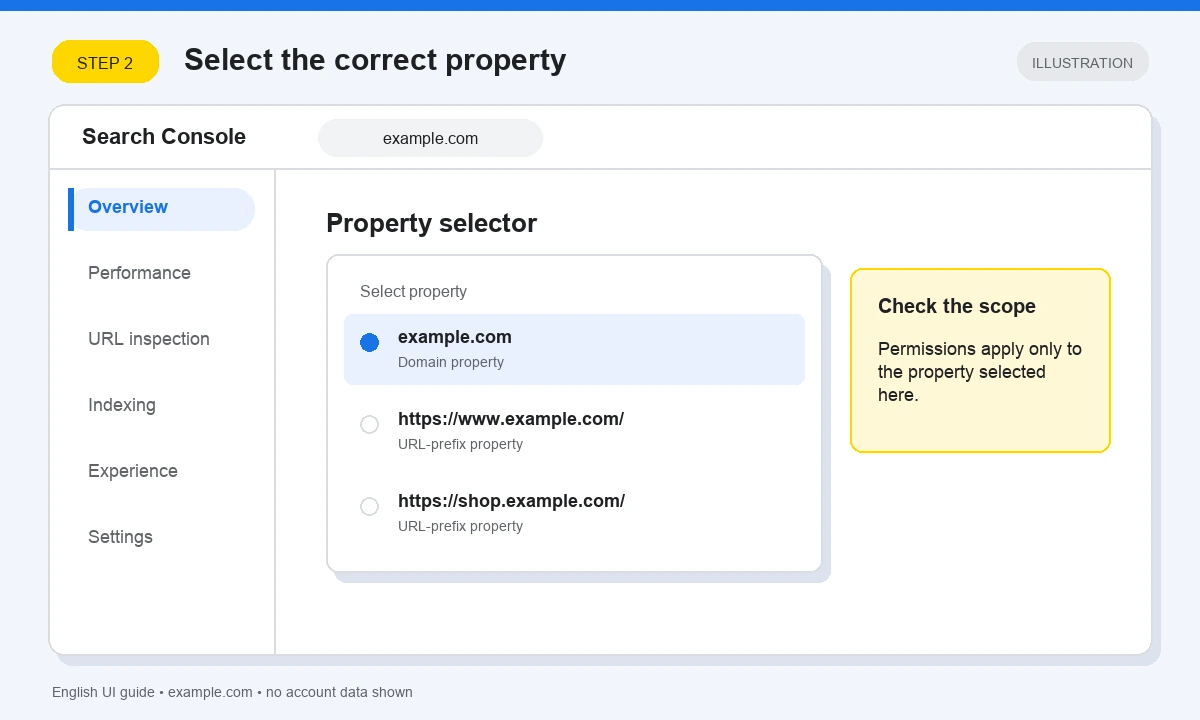
2. Select the correct property
Use the property selector to choose the website you want to manage. Check whether it is a Domain property such as example.com or a URL-prefix property such as https://www.example.com/. Permissions apply to the selected property, so selecting the wrong version can expose incomplete data or grant access to the wrong scope.
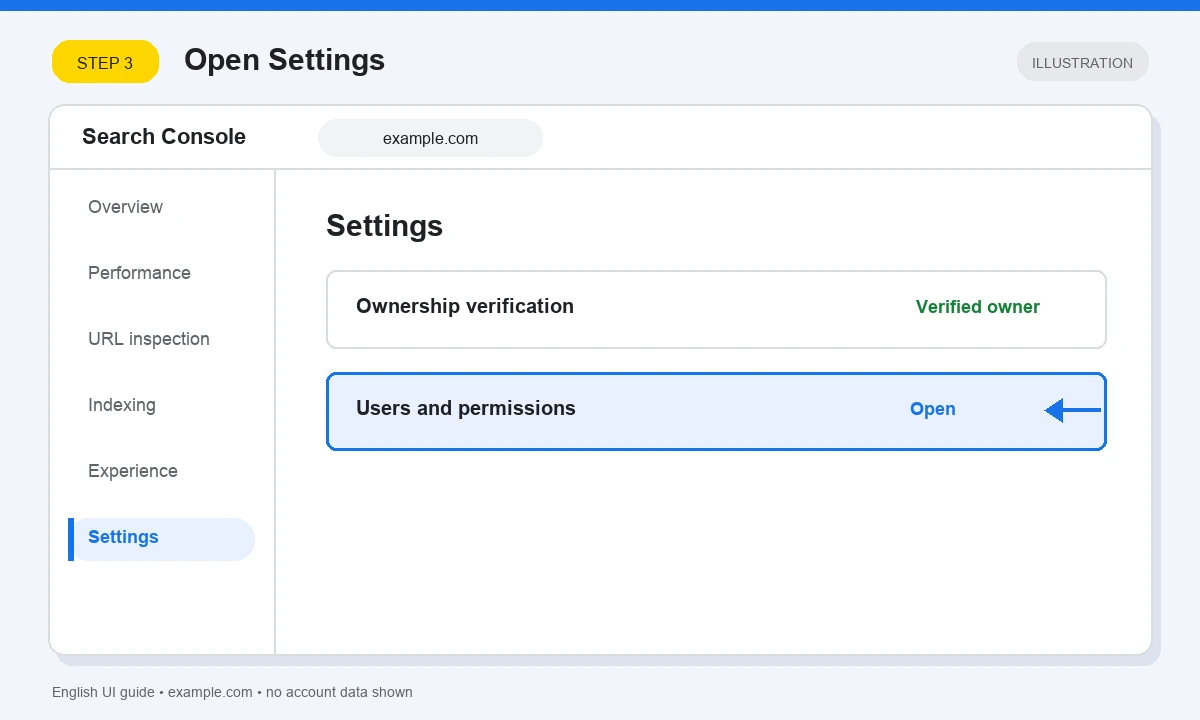
3. Open Settings
In the left navigation, select Settings.
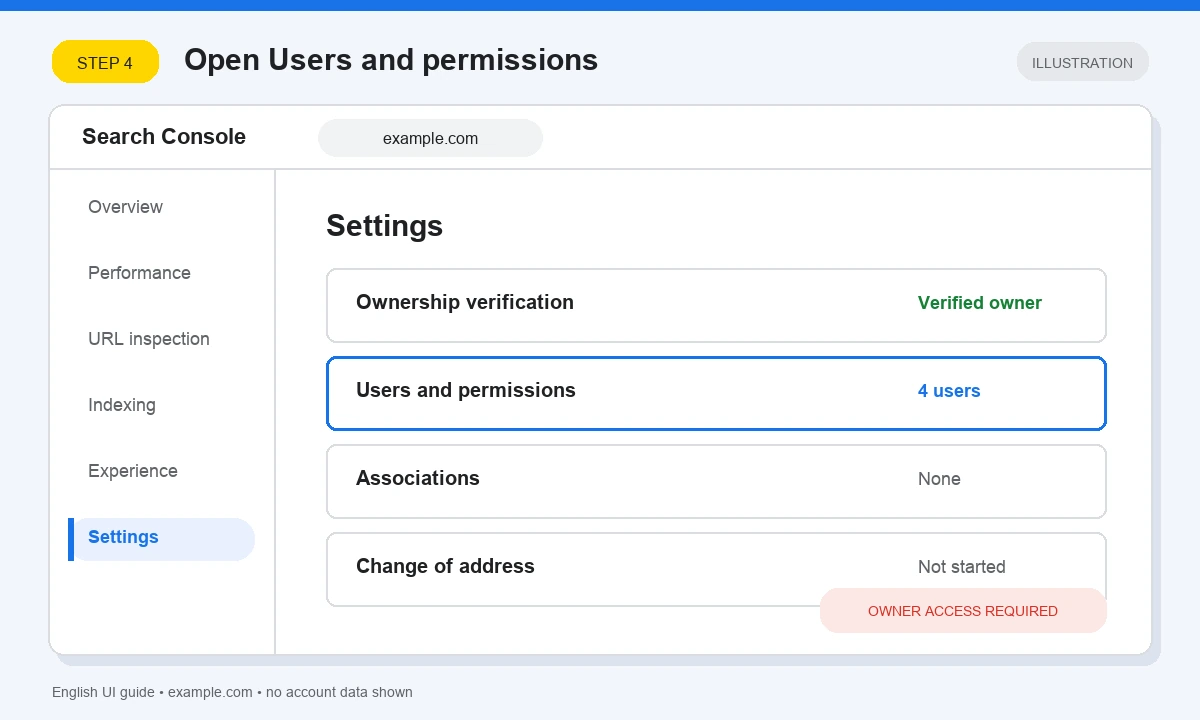
4. Open Users and permissions
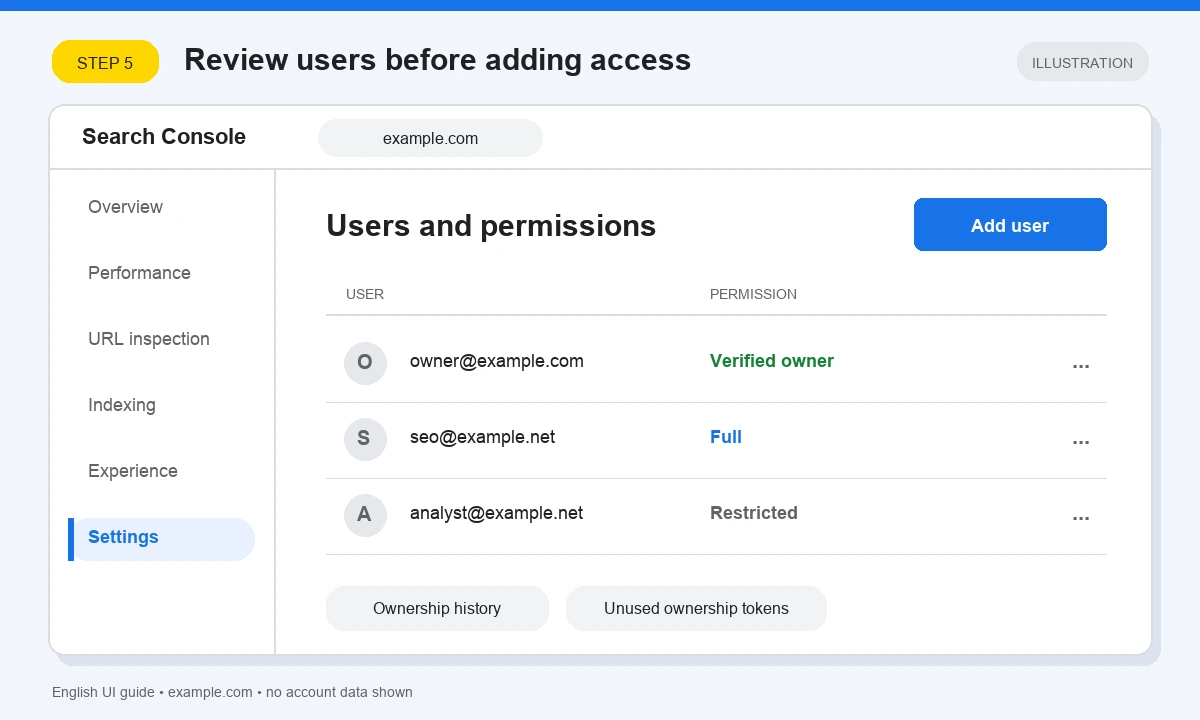
Select Users and permissions. This page lists verified owners, delegated owners, Full users and Restricted users for the property.
5. Select Add user
Select Add user. If this button is unavailable, the signed-in account is not an owner of the selected property.
6. Enter the email and choose a permission
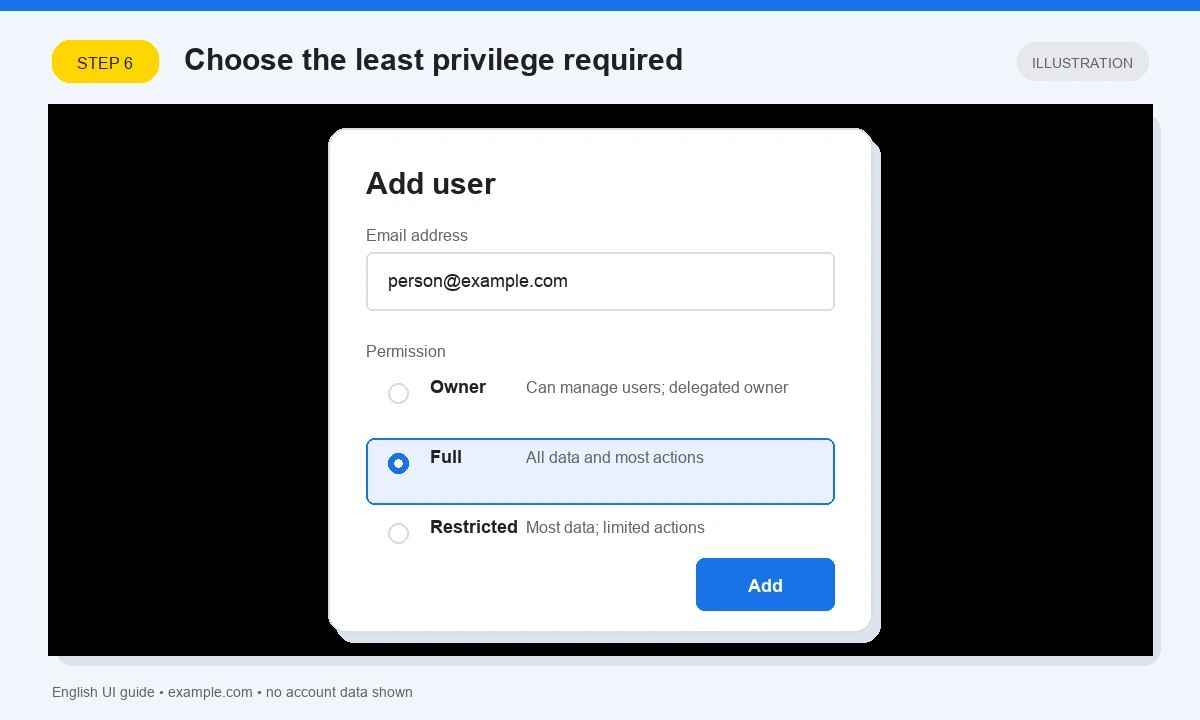
Enter the person’s Google Account email and choose Owner, Full or Restricted. The Owner option is valid: it creates a delegated owner with the same Search Console permissions as a verified owner, but without a separate ownership-verification token.
Select Add (or Save, if that label appears in your interface). Return to Users and permissions, confirm that the person appears with the intended role, and ask them to sign in and verify that they can open the property and the reports required for their work.
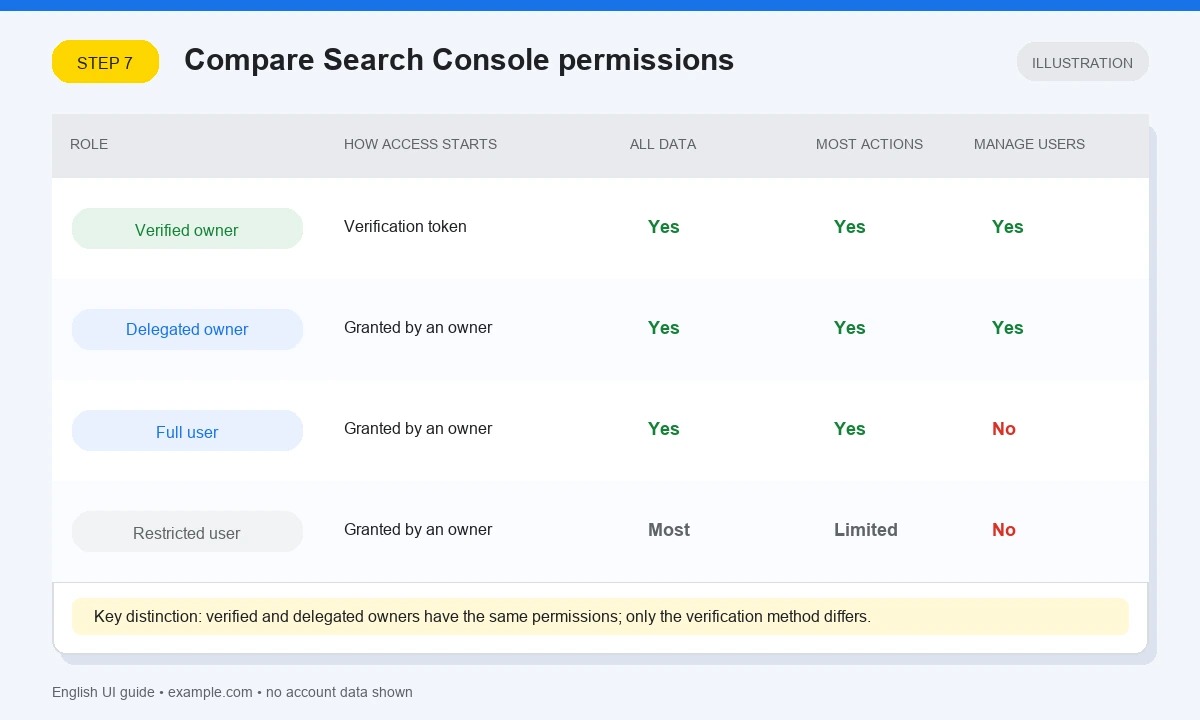
Search Console permission levels
| Permission | What the person can do | How access is established | Typical use |
|---|---|---|---|
| Verified owner | Full control, including user management | Proves ownership with a token such as a DNS record, HTML file or meta tag | Permanent business ownership |
| Delegated owner | The same Search Console permissions as a verified owner, including user management | An existing owner grants Owner in the Add user menu; no new verification token is created | Trusted administrator who must manage access |
| Full user | Can view all data and perform most operational actions, but cannot manage users or ownership | An owner grants Full access | SEO specialist, developer or agency |
| Restricted user | Can view most data and perform only limited actions | An owner grants Restricted access | Audit, reporting or limited review |
Granting access does not improve rankings by itself. It allows the specialist to inspect Google Search data and use only the actions available to the assigned role.
Domain verification and contractor independence
A Domain property is usually the most complete property type because it includes all protocols and subdomains and is verified through DNS. However, DNS verification alone does not make the business independent from a contractor.
Independence depends on who controls the domain registrar, DNS provider and verified-owner account. The business should retain those credentials and maintain at least one verified owner under a business-controlled Google Account. A contractor can add a DNS record on behalf of the business, but the business remains independent only if it can later change that DNS record and administer Search Console without the contractor.
A URL-prefix property can still be appropriate when access must cover only one protocol or path prefix, or when DNS access is unavailable. It simply has a narrower scope and supports additional verification methods.
How to revoke Search Console access safely
Do not remove the last business-controlled verified owner. First confirm that the business can access the registrar, DNS and Search Console property, then follow this order:
- Confirm a business-controlled verified owner. If necessary, verify another permanent business account before removing anyone.
- Review the access list and ownership history. In Settings -> Users and permissions, identify whether the departing person is a Restricted user, Full user, delegated owner or verified owner.
- Remove their user or delegated-owner access. Open the menu beside the account and select Remove access. Removing a delegated owner is normally sufficient because delegated ownership has no independent verification token.
- Check remaining ownership tokens. If the person was or may have been a verified owner, review Unused ownership tokens and the verification details. Remove only the tokens associated with that person, such as their HTML file, HTML tag or DNS record. If Google Analytics or Google Tag Manager was used for verification, revoke the corresponding permissions there as well.
- Check dependencies before deleting a token. A DNS record or tag can be used by another Google service. Confirm what it supports before removing it.
- Recheck the property. Confirm that the departing account can no longer regain access and that at least one permanent business-controlled verified owner remains.
Removing a verified owner from the visible list without removing that owner’s verification token is not a complete revocation: the token can allow ownership to be verified again.
Google Search Console access FAQ
How do I give someone access to Google Search Console?
What access level does an SEO need?
What is the difference between a delegated Owner and a Full user?
What is the difference between a verified Owner and a delegated Owner?
Should I use a Domain property or a URL-prefix property?
How do I fully revoke a former contractor's access?
Sources
- Google Search Console: managing owners, users and permissions.
- Google Search Console: add a website property, including Domain and URL-prefix property coverage.