Negative Keywords: Definition & List Building
Negative keywords are exclusions used to prevent ads from showing for specified searches under the selected negative match type. In SEO research, "minus words" are filters that remove irrelevant phrases from a working keyword set. Build and validate both lists against real queries before applying them.
- In paid search, a negative keyword blocks matching searches according to Google's negative match rules.
- In keyword research, "minus words" filter irrelevant terms out of a harvested list.
- Match types (broad, phrase, exact) apply to negatives too — and behave differently.
- The best source of negatives is your actual search-terms report, not guesswork.
- A negative-keyword list is a living asset — review it every reporting cycle.
One of the key factors in building a semantic core is the proper exclusion of irrelevant keywords. Below is a detailed explanation of how I perform keyword exclusion during semantic core development. This method is also useful when preparing keyword lists for Yandex Direct campaigns.
Removing Unwanted Keywords in Key Collector 4
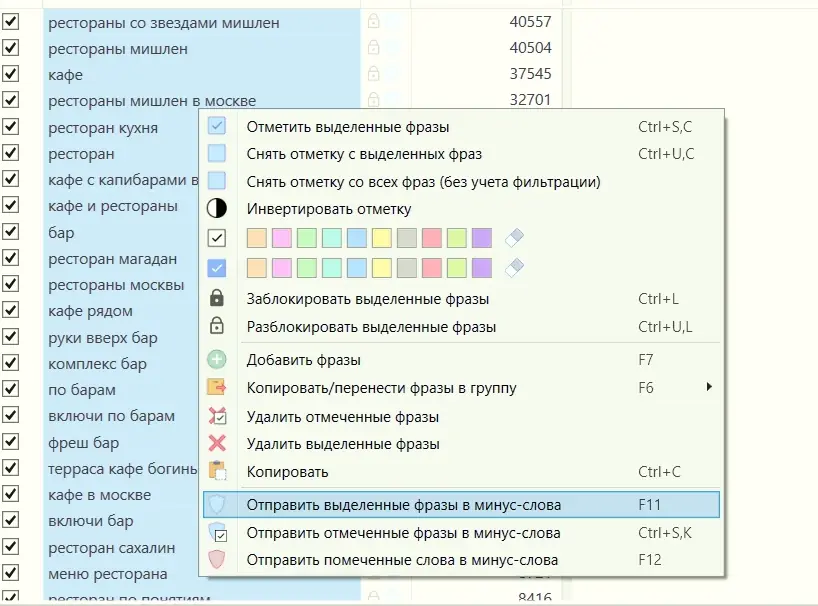
The screenshots below document the Key Collector 4 workflow used for this project. Menus and supported data sources can change, so verify the current build before applying the steps. To filter search queries containing words unsuitable for your semantic core or advertising campaigns, select the relevant queries, right-click, and choose «Send selected phrases to negative keywords».
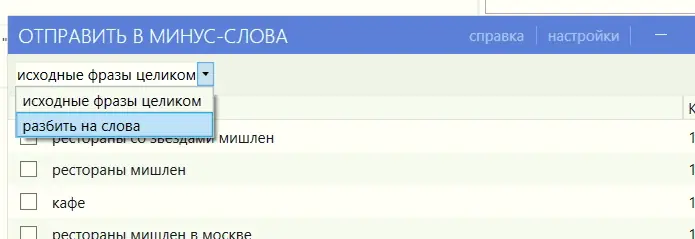
In the opened window, select “Split into words”.
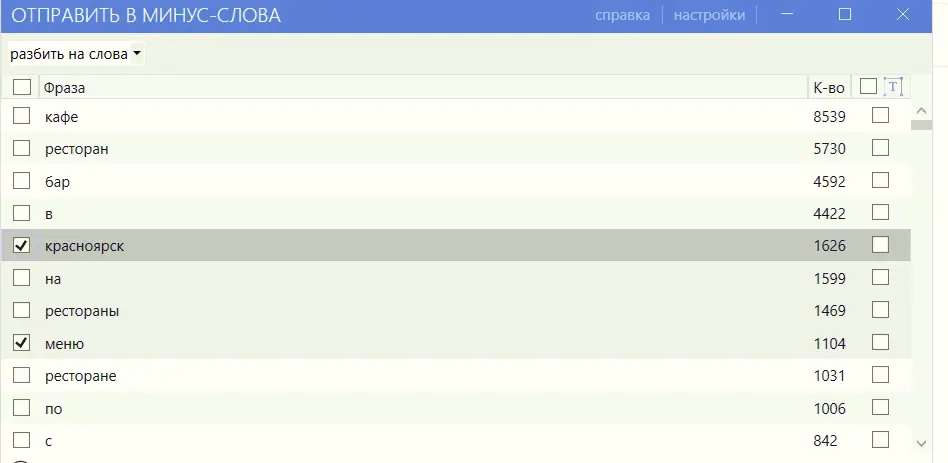
Sort the resulting list by the frequency of each word across the semantic core.

Check the boxes next to the queries that should be added to the list of excluded phrases.
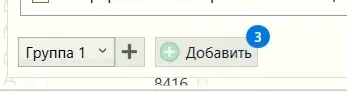
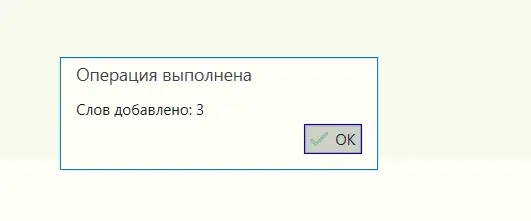
After selecting all exclusion words, click “Add” at the bottom of the window.
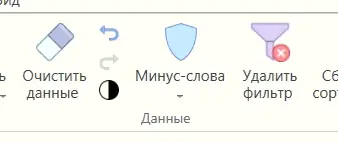
Open the «Excluded Words» window from the top menu.
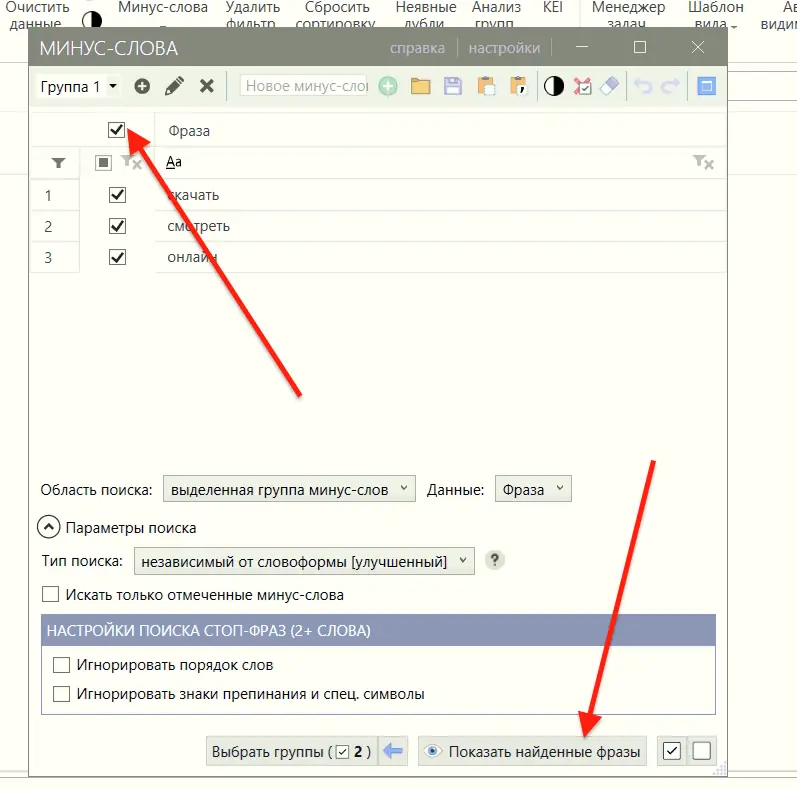
Select all queries and click “Show found words”.
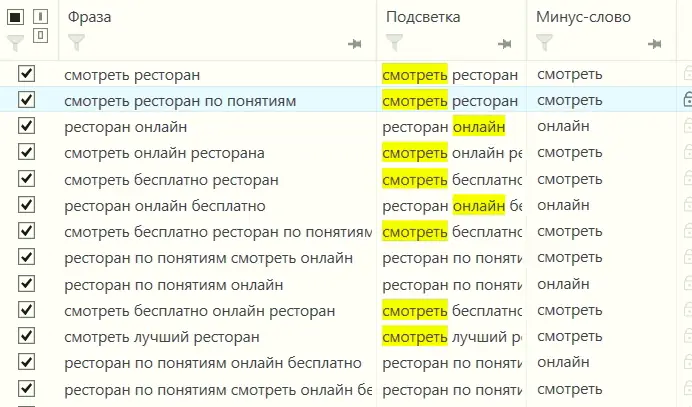
After this, Key Collector will display all queries that contain excluded words, allowing you to review and remove them.
Excluding Words Using Overlead.me
The screenshots below also document an Overlead.me exclusion workflow that was available when the guide was created. Confirm that the product, pricing and privacy terms still match your requirements before uploading a live keyword export.
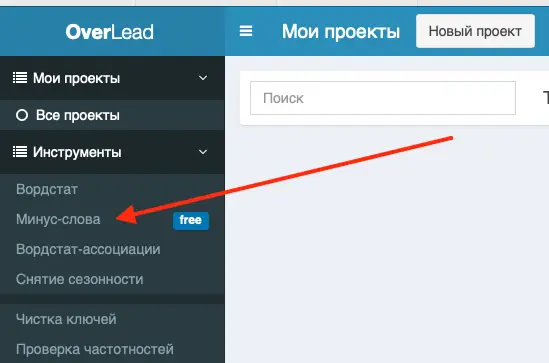
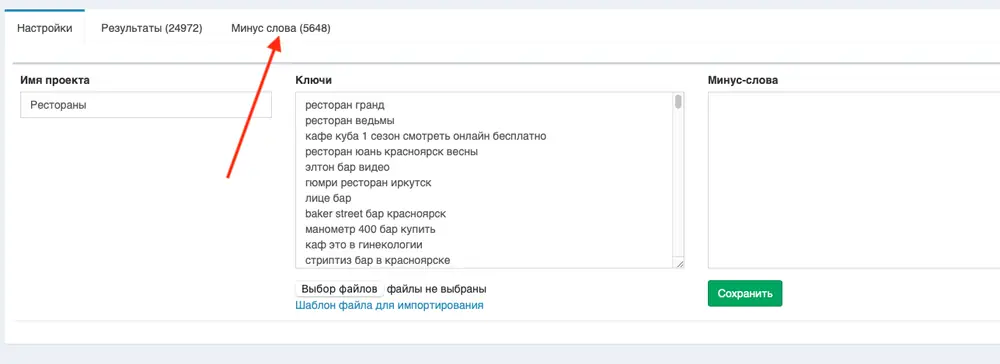
Click “New Query”.

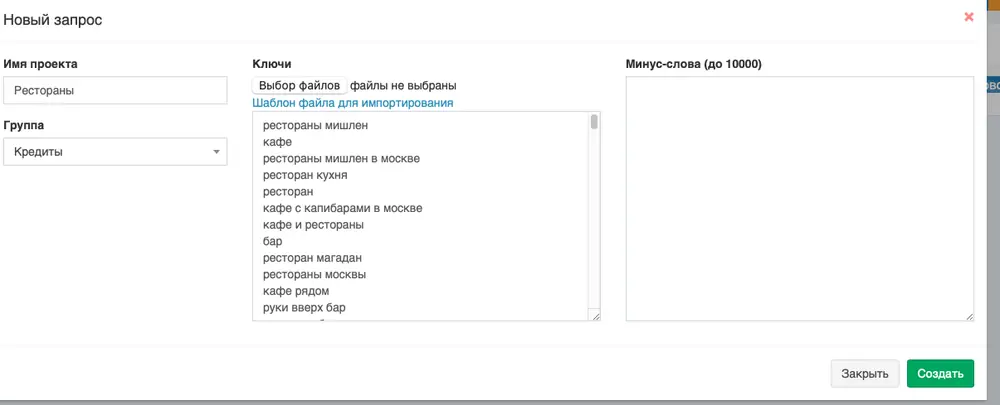
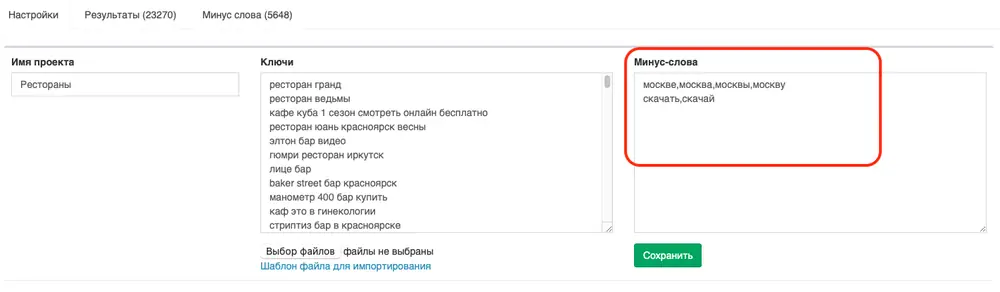
In the opened window, enter a project name and paste all your queries into the “Keys” field, then click Create.
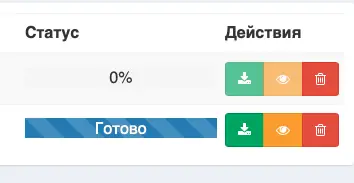
Once processing is complete, you’ll receive a notification by email. After that, you can proceed with keyword analysis.
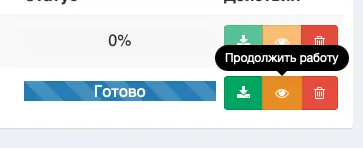
In the project workspace, open the “Excluded Words” tab.
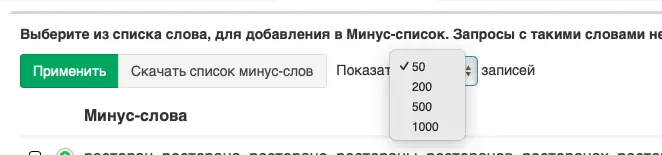
Select “Show 1000 entries”.
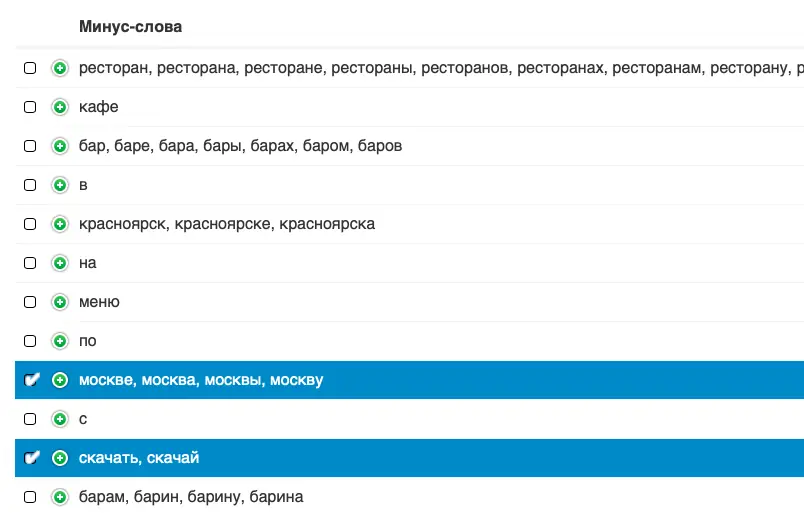
Begin marking unwanted words by checking the corresponding boxes.
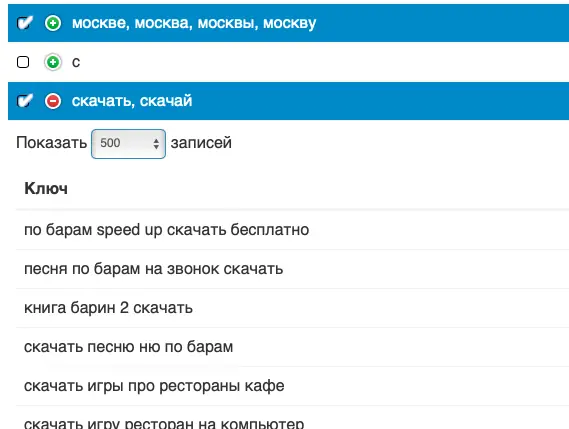
If you’re unsure where a word is used, click the “+” symbol to view a list of queries containing it.
After marking all necessary words, click «Apply» — you’ll receive a complete list of excluded phrases.
Extracting Excluded Phrases Using ChatGPT
For this method, use a spreadsheet-capable language model or script that can return the original rows alongside its suggested exclusions. Treat the output as a review queue, not an automatic deletion list. Use the following prompt as a starting point:
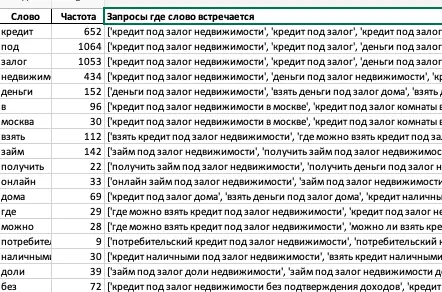
Process this Excel file, extract all phrases, convert each word to its base form (lemmatization), and count the frequency of each word.
Ensure that words with different endings but the same meaning are treated as one word.
For example, *‘bank,’ ‘banks,’ ‘bank’s,’* and *‘banking’* should all be recognized as the same base word *‘bank’.
Use an extended lemmatization dictionary to cover more word forms.Output the results as a table with the following columns:
'Word' — the word in its base form
'Frequency' — how often the word appears
'Queries containing the word'*
After processing, validate the suggested list against the original queries, campaign intent and match type before importing it. Language models can merge words incorrectly or remove commercially useful variants.
These are the primary methods for identifying excluded phrases, which help significantly reduce the amount of irrelevant data and optimize the process of building a semantic core.
What is a negative keyword?
What are minus words?
Do negative broad-match keywords block misspellings?
Where do I find good negative keywords?
Sources
- Google Ads: about negative keywords, including negative match behavior.
- Google Ads: add negative keywords to campaigns.
- Google Ads: how keyword matching works.